Guides for setting up your store, running breaks, streaming, and getting paid.
Build your store, connect payments, and plan your first break.
Run a private practice break end-to-end before going live.
Broadcast one break to YouTube, Instagram, Facebook & TikTok at once.
Get your Client ID and Secret from PayPal's developer dashboard and connect it to your store.
Selling on Breaker Toolbox requires applying and getting approved — it's not instant signup. Turnaround is typically about 3 business days, so plan your first break a little ahead of when you'd like to go live.
Add them from your Products page — see the Breaker Setup Guide for the walkthrough. When you first create a product, you'll enter its starting quantity and price right then.
Once a product exists, you can't just edit its quantity directly — new inventory has to come in through the Orders screen instead. This is what lets Breaker Toolbox track the actual cost of each batch you bring in, so your profit numbers stay accurate even if your cost changes between orders.
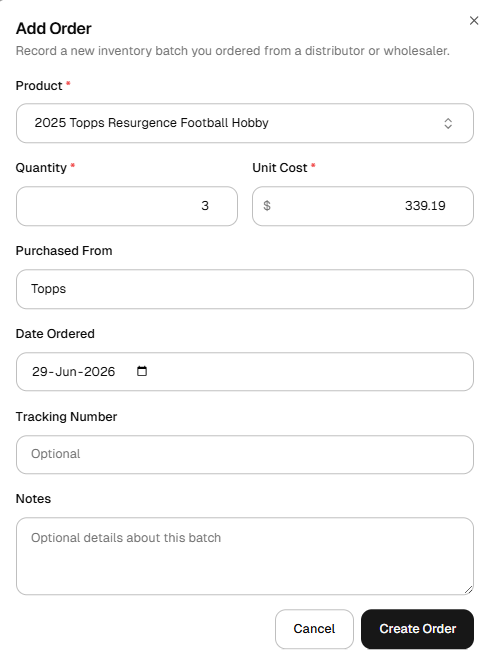
Once submitted, that batch shows up on the Orders screen with a status of Ordered — and on your Products page, that quantity shows as On Order rather than available inventory.
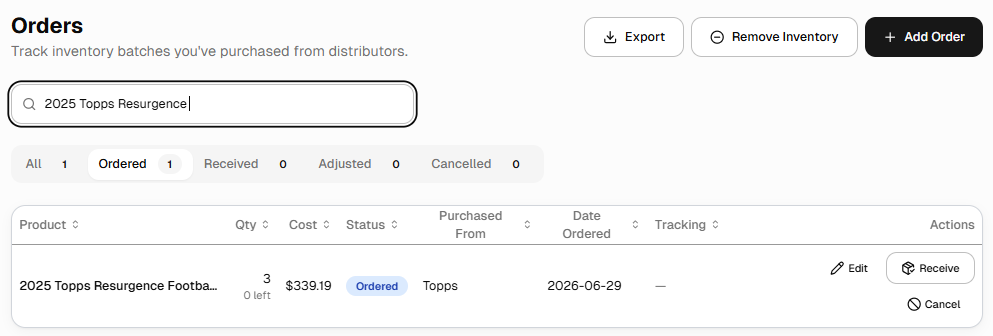
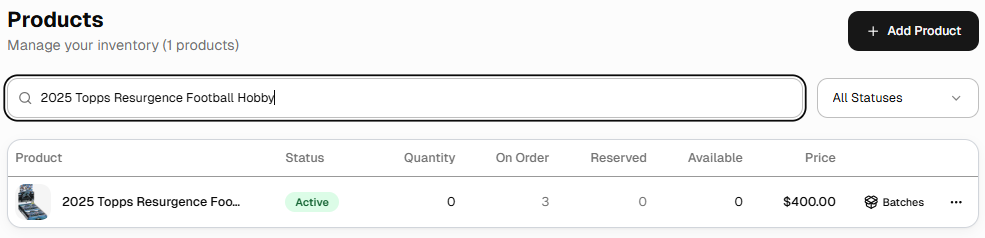
From the Orders screen you can Edit a pending order, mark it Receive once it physically arrives (which moves that quantity from On Order into Available), or Cancel it if it falls through.
Write a clear, complete description, and tag your products with searchable terms — things like the sport, manufacturer, or box type. Buyers searching for “football” or a specific brand will find your listing faster if it's tagged accordingly.
Beyond any promotion Breaker Toolbox itself provides, you're welcome to share your events on social media or anywhere else your audience is. Once a break is planned, you can copy that event's direct URL and link buyers straight to it. If you want to use official Breaker Toolbox logos or branding in your promotion, reach out to support@djawn.com first to make sure you're using approved assets.
Generally, yes — details like the event name, date, and time can typically be updated any time before the break starts. Cancelling a break is also possible before it starts, but can't be undone once confirmed, so double-check before you do.
You can typically adjust quantities on existing products during a live event. Newly added products, however, may not show up as available until the next event — plan your full product list ahead of time when possible.
Run a quick private test using a Rip & Ship — this lets you check your camera, audio, and overall look and feel without anyone else seeing it.
Breaks can be cancelled any time before they start. Once cancelled, any purchased spots are automatically refunded to buyers — see the Refund Policy for details.
You can issue a refund directly from your Clubhouse, without waiting for the buyer to request one:
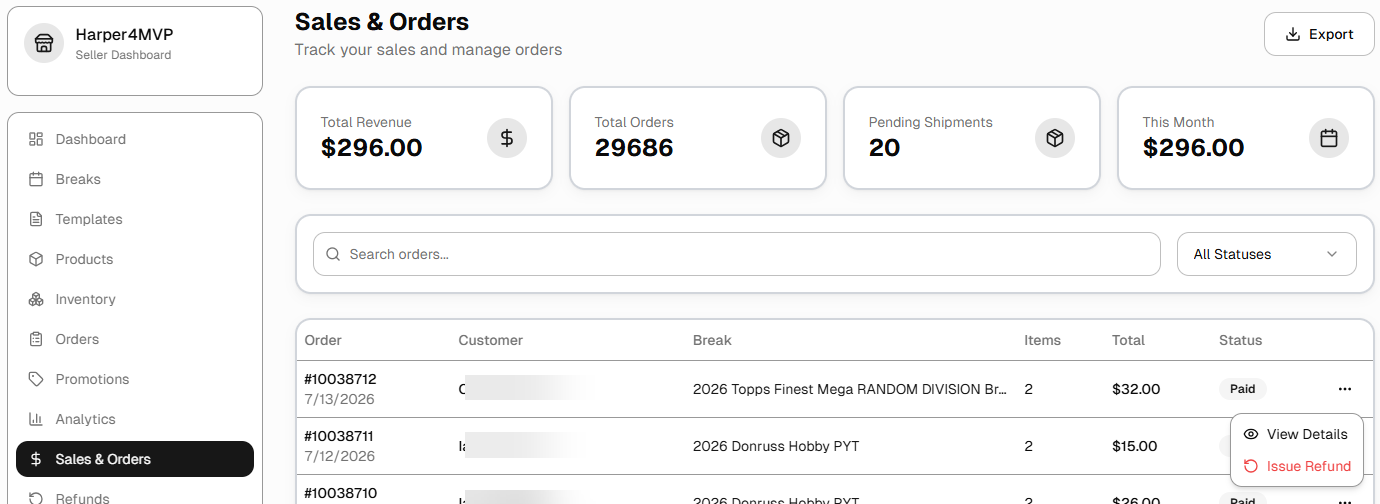
See the Refund Policy for how processing fees are handled on a refunded order.
Payouts follow the standard settlement schedule of whichever processor you've connected — Stripe or PayPal. Check your connected account's own dashboard for the exact timing on a given payout.
No — orders should ship to the address the buyer has on file. If a buyer needs to update where their order goes, have them update their profile address before you ship.
Every breaker agrees to the platform's code of conduct. Read the full Breaker Policy.
Handle it the same way you would any customer service issue — communicate clearly with affected buyers through the platform, and make it right where you can (see the “every purchase must receive an item” rule in the Breaker Policy). If you need platform-level help, reach out to support@djawn.com.
Reach out to support@djawn.com — include what you have in mind and someone will follow up.